Click here to get this post in PDF
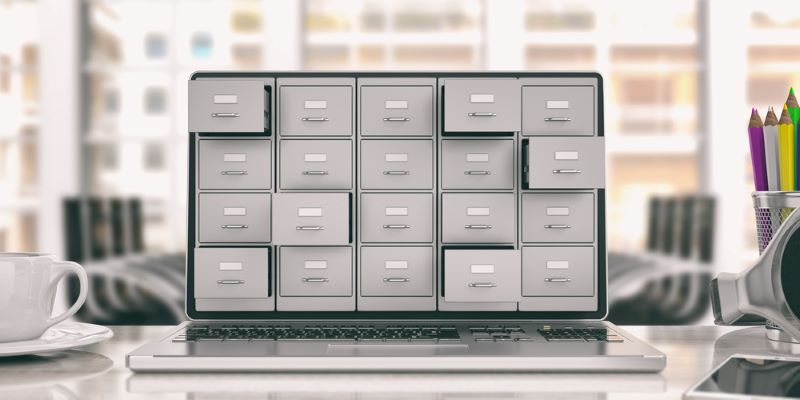
Whether it is for work or home, good record-keeping is essential. Although your office may not be completely paperless, an efficient electronic filing system can reduce administration time, protect important information and make documents easier to retrieve.
A successful system does not have to be complicated. It simply needs a clear structure, consistent file names, appropriate access controls and a reliable backup process.
Here is how to set one up.
Choose Where Your Files Will Be Stored
Before creating folders, decide where your electronic files will be kept. This might be a secure business server, a cloud-based document platform or a combination of local and cloud storage.
Where possible, establish one approved location for business documents. If employees save files across personal devices, email accounts and different storage platforms, it becomes difficult to identify the latest version or recover information when someone leaves the business.
Your chosen system should provide enough storage, suitable security controls and straightforward access for authorised team members.
Top Tip: Avoid storing the only copy of an important business document on an individual employee’s computer.
Structure
Think about how you want to structure your filing system. It may be organised alphabetically, chronologically, numerically or through a combination of these methods.
For example, a main folder titled “Clients” could contain a folder for each client. Each client folder could then include separate folders for contracts, invoices, correspondence and completed projects.
Alternatively, a folder titled “Photos” might contain subfolders organised by year, project or event.
Use broad top-level folders that reflect the main areas of your business, such as:
- Finance
- Clients
- Employees
- Marketing
- Operations
- Suppliers
- Legal and Compliance
- Archived Files
A clear structure supports an effective document management plan and makes it easier for employees to save information in the correct place.
Top Tip: Avoid creating too many layers of subfolders. A simple structure makes documents easier to locate and maintain.
File Names
Each document should have a clear, descriptive file name so that people can understand what it contains without opening it.
Choose one naming convention and apply it consistently. A useful format might include the date, client or project name, document type and version number.
For example:
2026-09-25_ClientName_ServiceAgreement_v1
Using the year-month-day format helps files appear in chronological order. Meaningful file names also improve search results and reduce the risk of employees creating unnecessary duplicate documents.
Avoid vague names such as:
- Document1
- New File
- Final
- Final New
- Final Version 2
If several people edit the same document, use the version history available within your document platform or introduce a simple version-numbering system.
Top Tip: Create a short file-naming guide that everyone in the business can follow.
Organisation
Be concise and consistent when naming folders and documents. Capital letters, spaces, abbreviations, dates and punctuation should follow the same format throughout the system.
Assign responsibility for maintaining important folders. This is particularly useful for shared documents such as policies, templates, contracts and financial records.
You may also want to create:
- An inbox folder for files that still need to be organised
- A templates folder containing approved business documents
- An archive for completed or inactive work
- A restricted folder for confidential information
- A regular review date for removing duplicates and outdated files
If your storage system supports labels, tags or colour coding, these can help identify documents that require action, review or deletion. However, labels should support the main folder structure rather than replace it.
Top Tip: Tidy as you go. If you find a file that does not follow your system, rename it or move it to the correct folder immediately.
Accessibility and Security
Employees should be able to locate the documents they need quickly, whether they search by folder, date, client, project or keyword.
However, accessibility does not mean that everyone should have access to every document. Sensitive information, including employee records, financial data and customer information, should only be available to people who need it for their work.
Use individual user accounts rather than shared logins. Enable multi-factor authentication where it is available, review permissions regularly and remove access promptly when employees or contractors leave the business. The UK National Cyber Security Centre recommends two-step verification because it makes unauthorised access more difficult, even when a password has been compromised.
These controls can help protect your business files without making everyday collaboration unnecessarily difficult.
Top Tip: Test the system by asking another team member to find a selection of documents without your help.
Retention and Secure Deletion
Not every document should be kept permanently. Create a retention schedule explaining how long different types of records should be stored and when they should be reviewed, archived or securely deleted.
Retention periods may depend on tax, employment, contractual, regulatory or industry-specific requirements. For UK organisations, the Information Commissioner’s Office explains that personal data should not be kept for longer than it is needed for the purpose for which it was collected.
Do not delete documents that must be retained for legal, regulatory or operational reasons. If you are uncertain about a particular record, obtain appropriate legal, accounting or data-protection advice.
Top Tip: Record the reason for each retention period rather than keeping information indefinitely “just in case”.
Backup
A reliable backup system is an essential part of electronic filing. Cloud synchronisation is useful, but it should not automatically be treated as a complete backup. If a document is accidentally deleted, corrupted or encrypted by ransomware, the change may also be synchronised across connected devices.
Keep separate backup copies of essential business information. Depending on the size and needs of your business, this may involve secure cloud backups, encrypted external storage or a professionally managed backup service.
The National Cyber Security Centre recommends making regular backups and ensuring they cannot be altered or deleted by someone who gains access to the main network. You should also test the recovery process so that you know your files can be restored when needed.
For further guidance, read why it is important to back up business data.
Top Tip: Schedule automatic backups and test the restoration of a small selection of files regularly.
Keep the System Up to Date
An electronic filing system should develop alongside your business. Review it periodically to ensure the folder structure, access permissions, retention rules and backup arrangements still meet your needs.
Provide employees with a short written guide and include file-management procedures in the onboarding process. A filing system will only remain effective if everyone understands and follows it.
With a clear structure and consistent habits, your electronic filing system can save time, support collaboration and help protect valuable business information.
Also read:
The Power of Professional Documentation!
8 Ways of Keeping Your Business Files Safe
5 Do’s and 3 Don’ts of Effective Document and Record Management
Image source: Depositphotos.com
About the Author

Emily Cooper, owner and Virtual Assistant at The Admin Assistant, was born with a passion for administration and organisation. With vast experience working in various high-pressure office environments, Emily created The Admin Assistant to provide remote administrative solutions to individuals and businesses across the globe. Emily’s knowledge, skills and strong work ethic, combined with current and emerging technologies, help her clients to work smarter, not harder.

[…] You may also like: Setting Up an Electronic Filing System […]