Click here to get this post in PDF
The Core Components of Business Operations and Software

In today’s business world, being efficient is key. We often find ourselves jumping between many different apps and systems just to get work done. This constant switching, sometimes hundreds of times a day, can really slow us down and break our focus.
Such broken workflows waste time and cause us to miss chances. It makes working together harder and slows down how fast we can react to market changes. For any company, big or small, making operations smooth is not just a good idea. It is a must-have for growing and staying ahead.
This guide will take a close look at business operations and software. We will learn what these tools are and why they are so important for modern companies. We will also check out their main parts, the real benefits they bring, and the different kinds you can use. Plus, we will cover how to set them up, deal with common problems, and see what new trends are coming next.
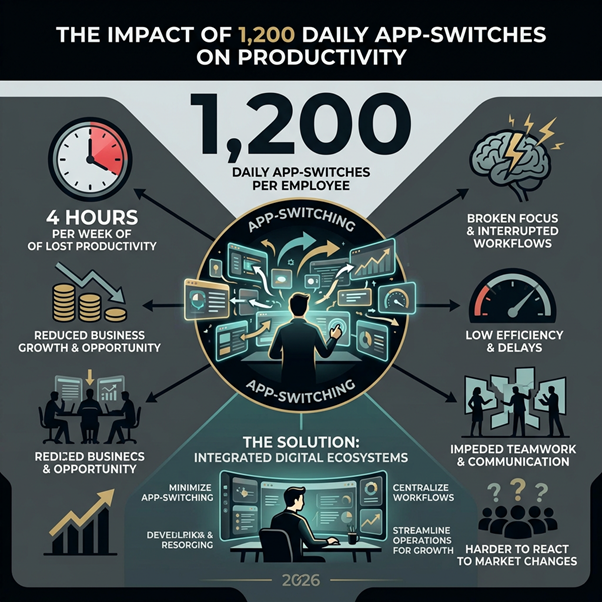
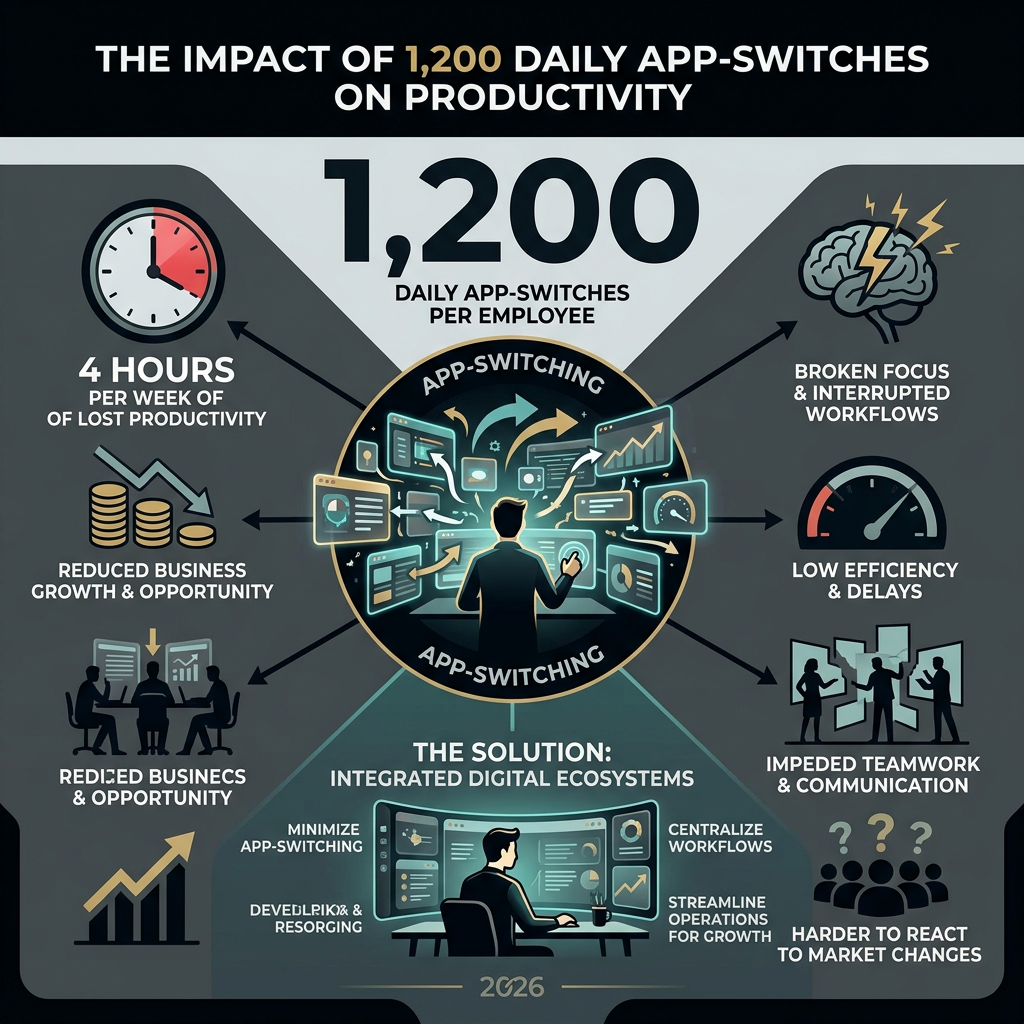
The average employee switches between apps and websites nearly 1,200 times per day, which amounts to about four hours per week of lost productivity. This statistic alone highlights the urgent need for integrated solutions that minimize app-switching and centralize workflows. Modern businesses often rely on 10 to 15 different platforms just to handle daily operations, creating silos and inefficiencies that hinder growth.

At the heart of every thriving enterprise lies a robust digital ecosystem, powered by sophisticated business operations software. These applications are not merely tools; they are the central nervous system that connects disparate functions, coordinates processes, and optimizes workflows across the entire organization. Understanding their core components is crucial to leveraging their full potential.
Defining Software Applications in Business Operations
Software applications in business operations are computer programs specifically designed to help organizations perform various tasks efficiently. They range from simple word processors and spreadsheets to complex Enterprise Resource Planning (ERP) and Customer Relationship Management (CRM) systems. Their primary purpose is to enhance productivity, improve accuracy, ensure smooth processes, manage data, and support decision-making. Essentially, they form the digital infrastructure that allows businesses to operate, innovate, and grow. These applications enable workflow automation, transforming manual, repetitive tasks into streamlined, automated sequences, creating a cohesive digital ecosystem that underpins all enterprise resources.
Key Elements of Modern Software Architecture
The effectiveness of business operations software hinges on several key architectural elements:
- User Interface (UI) and User Experience (UX): An intuitive and easy-to-navigate interface is paramount for user adoption and productivity.
- System Functionality: The specific features and capabilities the software offers, tailored to address particular business needs (e.g., inventory management, financial accounting, human resources).
- Integration Capabilities: Modern software must seamlessly connect with other systems and applications (e.g., CRM, accounting software, marketing platforms) to avoid data silos and ensure a unified view of operations. This ICT alignment is critical for digital transformation.
- Scalability: The ability of the software to grow and adapt with the business, handling increased data volumes, users, and complexity without requiring a complete overhaul.
- Data Security and Access Control: Robust security measures, including encryption, role-based access, and compliance features, are essential to protect sensitive business data.
- Customization: The flexibility to tailor the software to specific business processes, terminology, and reporting requirements, rather than forcing the business to conform to the software.
- Reporting and Analytics: Tools to collect, analyze, and visualize operational data, providing actionable insights for strategic decision-making.
- Mobile Accessibility: Ensuring that critical functions and data are accessible on various devices, supporting flexibility and remote work.
Essential Operational Software Terms:
- ERP (Enterprise Resource Planning): Integrated management of core business processes.
- CRM (Customer Relationship Management): Manages customer interactions and data.
- BPM (Business Process Management): Optimizes and automates business processes.
- Workflow Automation: Automating sequences of tasks and processes.
- SaaS (Software as a Service): Cloud-based software delivered via the internet.
- API (Application Programming Interface): Enables communication between software systems.
- Data Analytics: Process of examining data to extract insights.
- UI/UX (User Interface/User Experience): Design focused on usability and satisfaction.
- Scalability: Ability to handle increasing workload or users.
- Cloud Computing: On-demand availability of computer system resources.
Strategic Benefits: Why Modern Enterprises Prioritize Integration
The decision to invest in advanced business operations software is driven by a clear understanding of the strategic advantages it offers. Beyond mere efficiency, these tools are pivotal in fostering growth, enhancing competitiveness, and building resilience in an ever-evolving market.
How Business Operations and Software Enhance Internal Processes
The primary motivation for adopting comprehensive business operations software is the dramatic improvement it brings to internal processes. By automating repetitive tasks, we significantly reduce manual errors and free up valuable employee time, allowing teams to focus on more strategic and creative work. This shift from manual processes to automated workflows is not just about speed; it’s about accuracy, consistency, and cost reduction.
Organizations using operations management software report reducing app-switching by up to 80%, directly translating into substantial productivity gains. Furthermore, businesses implementing comprehensive business operations automation see an average ROI of 200-400% within the first year. This impressive return on investment stems from:
- Manual Process Elimination: Software takes over mundane, time-consuming tasks, reducing operational costs and accelerating task completion.
- Resource Optimization: Better visibility into resource allocation, inventory levels, and production schedules ensures that assets are utilized effectively, minimizing waste.
- Enhanced Data Visibility: Centralized data platforms provide real-time insights across departments, enabling faster, more informed decision-making.
- Improved Employee Satisfaction: By removing the frustration of repetitive tasks and fragmented systems, employees can engage more deeply with their work, leading to higher morale and retention.
Even in highly specialized fields, the benefits of streamlined operations are clear. For instance, in legal practices, efficient back-office operations can significantly enhance client service and case management. Understanding the intricacies of Injury attorney business operations can reveal how specialized software streamlines everything from client intake to document management and billing, ensuring that legal professionals can focus on their core competencies.
Strengthening Customer Relationships Through System Synergy
In today’s customer-centric world, the quality of customer relationships can make or break a business. Operations software plays a crucial role in building and maintaining these relationships by enabling personalized interactions and efficient service delivery.
- Personalization: By integrating customer data from various touchpoints (CRM, sales, support), businesses can gain a holistic view of each customer, allowing for highly personalized marketing, sales, and service interactions.
- 24/7 Support: Automated chatbots and self-service portals handle routine inquiries around the clock, providing instant support and freeing human agents for more complex issues.
- CRM Integration: Seamless integration with CRM systems ensures that every customer interaction is logged and accessible, allowing for consistent and informed service across all channels.
- Service Transparency: Customers benefit from real-time tracking of orders, service requests, or case statuses, fostering trust and satisfaction.
Navigating the Landscape of Operations Management Software
The market for business operations software is vast and diverse, offering solutions tailored to every business size, industry, and operational need. Choosing the right platform requires a deep understanding of the available options and a clear vision of our specific requirements.
Main Types of Business Operations and Software
The landscape of operations management software can be broadly categorized into several types, each with distinct advantages:
- All-in-One Business Management Platforms: These comprehensive suites aim to cover most, if not all, business functions within a single system. They are often ideal for small to medium-sized teams looking to consolidate tools and minimize integration complexities.
- Enterprise Resource Planning (ERP) Solutions: Designed for larger organizations, ERP systems integrate core business processes such as finance, HR, manufacturing, supply chain, and services into a single system. Examples include platforms that serve hundreds of enterprises, optimizing operations across diverse sectors like manufacturing, facilities, fleet, and supply chain, often reporting significant efficiency improvements.
- Process Management & Automation Tools (BPM): These tools focus specifically on designing, executing, monitoring, and optimizing business processes. They are crucial for streamlining workflows and ensuring compliance.
- No-Code Operations Platforms: A rising trend, these platforms allow businesses to build custom applications and automate workflows without extensive coding knowledge. They offer flexibility and rapid deployment, bridging the gap between off-the-shelf solutions and custom development.
- Industry-Specific Operations Software: Tailored to the unique demands of particular sectors, such as manufacturing operations management (MOM), healthcare management systems, or logistics and supply chain software.
- Departmental Operations Tools: Specialized software for specific departments, like HR information systems (HRIS), marketing automation platforms, or financial accounting software.
- Integration-Focused Command Centers: These platforms act as a ‘unified layer’ above existing tools, connecting disparate systems and providing a centralized dashboard for managing operations without replacing specialized applications.
Essential Features for Scalable Operations Management
When evaluating operations management software, certain features are non-negotiable for ensuring scalability and long-term value:
- Intelligent Workflow Automation: The ability to automate complex, multi-step processes, including conditional logic and approvals.
- Real-Time Data Integration: Seamless connectivity with other critical business systems (CRM, accounting, e-commerce) to ensure data consistency and eliminate manual data entry.
- Comprehensive Reporting and Analytics: Customizable dashboards and robust reporting capabilities to track key performance indicators (KPIs), identify bottlenecks, and inform strategic decisions.
- Task and Project Management: Tools for assigning tasks, tracking progress, managing deadlines, and collaborating within teams.
- Resource Allocation and Optimization: Features to plan, schedule, and allocate resources efficiently, whether human, financial, or material.
- Inventory and Supply Chain Management: For product-based businesses, real-time inventory tracking, order management, and supply chain visibility are crucial.
- Security and Access Control: Granular user permissions, role-based access, and robust data security protocols to protect sensitive information.
- Mobile Accessibility: A responsive design or dedicated mobile apps that allow users to manage operations on the go.
- Customizable Workflows and Fields: The flexibility to adapt the software to unique business processes and data requirements without needing custom coding.
Industry-Specific Applications and Use Cases
Operations management software is not a one-size-fits-all solution; its impact varies significantly across industries:
- Manufacturing: ERP and MOM systems optimize production planning, inventory management, quality control, and supply chain logistics, often integrating with Industry 4.0 technologies like IoT sensors for predictive maintenance.
- Healthcare: Software manages patient scheduling, electronic health records (EHR), billing, resource allocation for staff and equipment, and compliance with strict regulations.
- Logistics & Supply Chain: Real-time tracking, fleet management, route optimization, warehouse management, and demand forecasting improve delivery efficiency and customer satisfaction.
- Retail: Inventory tracking, point-of-sale (POS) integration, customer behavior analysis, and e-commerce platform management streamline sales and enhance the customer experience.
- Hospitality: Property management systems (PMS), reservation systems, staff scheduling, and guest service platforms ensure smooth operations and high guest satisfaction.
- Professional Services: Firms benefit from project management, time tracking, billing, client portal, and document management features to enhance service delivery and profitability.
Feature/Tool Operations Management Software Project Management Tools Primary Focus Ongoing, recurring business processes; entire organizational workflow Temporary initiatives with defined start/end dates and deliverables Scope Broad, enterprise-wide processes (e.g., HR, finance, supply chain) Specific projects (e.g., launching a new product, building a website) Goal Maximize efficiency, reduce costs, ensure compliance, sustain growth Achieve project goals on time and within budget Key Metrics Operational KPIs, ROI, process cycle times, resource utilization Project milestones, budget adherence, task completion rates Typical Users Operations managers, finance teams, HR, supply chain, executives Project managers, team leads, project stakeholders Integration Needs Deep integration across multiple business systems (ERP, CRM, etc.) Integration with communication, document sharing, and reporting tools Implementation Strategies and Overcoming Adoption Challenges
Implementing new business operations software is a significant undertaking that requires careful planning, execution, and a proactive approach to potential challenges. A well-managed implementation can unlock immense value, while a poorly managed one can lead to costly delays and user dissatisfaction.
The Development and Implementation Lifecycle
Whether we are adopting an off-the-shelf solution or developing custom software, the lifecycle typically involves several critical phases:
- Requirement Analysis: This initial phase involves a thorough assessment of current processes, identification of pain points, and definition of functional and non-functional requirements. Stakeholder interviews and workflow documentation are crucial here.
- Design and Prototyping: Based on requirements, the software’s architecture, user interface, and key workflows are designed. Prototypes or mock-ups are often created to gather early feedback from users.
- Technology Selection: Choosing the right technology stack, platform, or vendor is paramount. This involves considering scalability, integration capabilities, security, and long-term support.
- Development and Integration: The software is built or configured, and critical integrations with existing systems are established. This is where the technical work of bringing the vision to life occurs. For complex workflows, leveraging Business process automation tools is key to ensuring seamless data flow and task execution across different systems.
- Testing and Quality Assurance (QA): Rigorous testing is conducted to identify and rectify bugs, ensure functionality meets requirements, and verify performance under various conditions. This includes unit testing, integration testing, user acceptance testing (UAT), and security testing.
- Deployment: The software is rolled out to the production environment. This can be a phased rollout, starting with a pilot group, or a big-bang approach, depending on the system’s complexity and organizational readiness.
- Training and Support: Comprehensive training programs are essential to ensure user adoption. Ongoing technical support and maintenance are critical for the software’s long-term success and continuous optimization.
- Monitoring and Optimization: Post-implementation, continuous monitoring of performance, user feedback, and operational metrics helps identify areas for further improvement and optimization.
Overcoming Common Barriers to Software Adoption
Even the most advanced software can fail if not adopted effectively by users. We frequently encounter several common challenges during implementation:
- Resistance to Change: Employees may be comfortable with existing processes, even if inefficient. Overcome this by involving users early, communicating the benefits clearly, and providing ample training and support.
- Integration Complexity: Connecting new software with legacy systems can be technically challenging and time-consuming. Prioritize integrations based on business impact and ensure robust APIs are available.
- Training Gaps: Insufficient or poorly designed training can leave users feeling overwhelmed and unproductive. Develop role-specific training modules, offer hands-on workshops, and create accessible documentation.
- Data Migration Issues: Transferring large volumes of data from old systems to new ones can be fraught with errors. Plan data migration meticulously, cleanse data beforehand, and perform thorough validation.
- Data Security Concerns: Moving to new or cloud-based systems can raise concerns about data privacy and security. Address these by implementing robust security protocols, ensuring compliance with regulations, and transparently communicating security measures.
- Over-Automation Risks: While automation is powerful, over-automating processes without human oversight can lead to inflexibility and errors in exceptional cases. Maintain manual override capabilities for critical workflows.
Future Trends: AI, Cloud, and Global Scalability
The landscape of business operations software is constantly evolving, driven by rapid advancements in technology. Emerging trends like artificial intelligence (AI), cloud computing, and advanced integration are reshaping how businesses operate, offering unprecedented opportunities for efficiency, insight, and global reach.
The Role of AI and Cloud in Modern Business Operations and Software
AI and cloud computing are not just buzzwords; they are fundamental pillars of next-generation business operations software:
- Intelligent Automation: AI-powered automation goes beyond simple task execution. It enables systems to learn from data, make predictive decisions, and adapt workflows dynamically. This includes predictive maintenance in manufacturing, intelligent routing in customer service, and optimized resource allocation.
- Context-Rich Data and Machine Learning: Cloud platforms provide the scalable infrastructure needed to store and process vast amounts of data. Machine learning algorithms then analyze this data to uncover hidden patterns, forecast trends, and generate actionable insights, transforming raw data into strategic intelligence.
- Proactive Maintenance and Optimization: AI can predict equipment failures, identify potential bottlenecks in supply chains, or anticipate customer needs, allowing businesses to take proactive measures rather than reactive ones.
- SaaS Evolution: The Software as a Service (SaaS) model, powered by cloud computing, makes sophisticated operations software accessible to businesses of all sizes, eliminating the need for heavy upfront investments in hardware and maintenance.
- Blockchain Transparency: Beyond cryptocurrencies, blockchain technology offers applications in operations for enhanced transparency and security, particularly in supply chain management and contract execution.
Supporting Remote Work and Global Teams
The shift towards remote and hybrid work models has accelerated the demand for operations software that can seamlessly support distributed teams:
- Asynchronous Coordination: Tools that allow teams across different time zones to collaborate effectively, sharing updates, documents, and feedback without requiring real-time presence.
- Secure Data Handling: Cloud-based operations software provides centralized, secure access to data and applications from anywhere, ensuring business continuity and data protection for remote workers.
- Real-Time Collaboration: Integrated communication platforms, shared digital workspaces, and version-controlled document management enable real-time collaboration, mirroring the efficiency of in-person interactions.
- Virtual Workspaces: Comprehensive platforms create virtual environments where teams can access all necessary tools, information, and colleagues, fostering a sense of cohesion despite geographical separation.
- Performance Monitoring: Advanced analytics within operations software helps managers monitor team performance, identify areas for support, and ensure productivity across remote and global teams.
Frequently Asked Questions about Operations Software
What is the difference between operations software and project management tools?
While both aim to improve efficiency, operations software focuses on streamlining and optimizing ongoing, recurring business processes like finance, HR, or supply chain management. It’s about the continuous flow of an organization. Project management tools, in contrast, are designed for temporary initiatives with a defined start and end, specific goals, and deliverables, such as launching a new product or executing a marketing campaign. Operations software provides the broad, underlying infrastructure, while project management tools manage specific, time-bound efforts within that infrastructure.
How can small businesses measure the ROI of new operations software?
Measuring ROI for small businesses involves tracking key metrics before and after implementation. We can look at:
- Cost Savings: Reductions in operational costs (e.g., less overtime, reduced errors, lower administrative expenses).
- Productivity Gains: Increased output per employee, faster task completion times, or reduced app-switching.
- Error Reduction: Decrease in rework, customer complaints due to errors, or compliance fines.
- Time Savings: Time freed up from manual tasks, allowing employees to focus on revenue-generating activities.
- Customer Satisfaction: Improved customer retention rates, higher customer service ratings, or faster resolution times.
- Scalability: The ability to handle increased business volume without proportional increases in staffing or resources. By establishing baseline metrics before implementation, businesses can quantify the improvements and calculate their return on investment.
What are the primary security considerations when adopting cloud-based operations tools?
When moving to cloud-based operations tools, security is paramount. Key considerations include:
- Data Encryption: Ensuring data is encrypted both in transit (when moving between your device and the cloud) and at rest (when stored on the cloud servers).
- Access Control: Implementing strong authentication methods (like multi-factor authentication) and granular role-based access controls to ensure only authorized personnel can access specific data and functions.
- Compliance: Verifying that the cloud provider adheres to relevant industry regulations and data privacy laws (e.g., GDPR, HIPAA, SOC 2).
- Vendor Security Practices: Evaluating the cloud vendor’s security policies, incident response plans, and regular security audits.
- Data Backup and Recovery: Understanding the vendor’s data backup strategies and disaster recovery capabilities to prevent data loss.
- Vulnerability Management: Ensuring the vendor has robust processes for identifying and patching security vulnerabilities.
- Employee Training: Educating employees on best practices for data security, password hygiene, and identifying phishing attempts.
Conclusion
In an era defined by rapid digital transformation, the strategic integration of business operations and software is no longer optional—it is fundamental for survival and growth. We’ve explored how these powerful tools streamline internal processes, enhance customer relationships, and provide the data-driven insights necessary for informed decision-making. From the core components of modern software architecture to the diverse types of solutions available, it’s clear that the right technology can be a game-changer.
While the journey of implementation comes with its challenges, proactive planning, robust training, and a focus on user adoption can pave the way for success. Looking ahead, emerging technologies like AI, cloud computing, and advanced integration will continue to shape the future, offering unprecedented opportunities for intelligent automation, predictive analytics, and seamless global collaboration. By embracing these advancements, businesses can achieve strategic agility, foster sustainable growth, and future-proof their operations in an increasingly complex world.
You may also like: The Growing World of Technology for Business Management