Click here to get this post in PDF
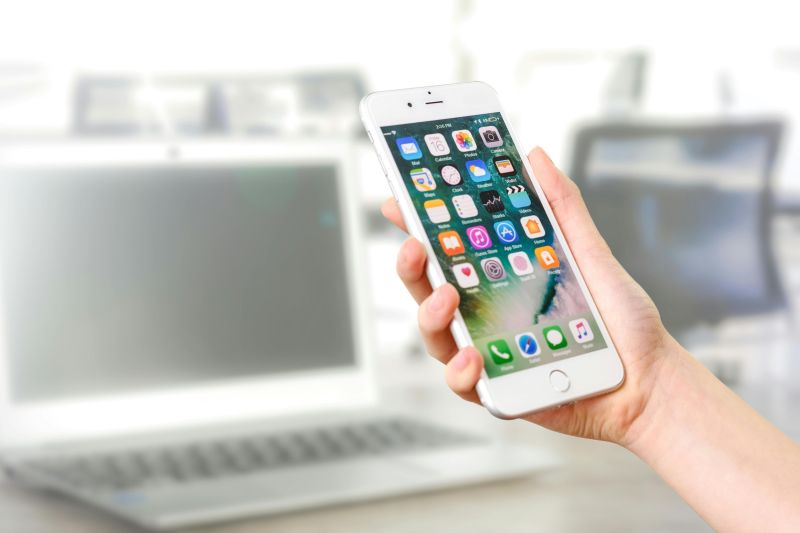
Event apps have quickly evolved from optional perks to become an attendee expectation. Just five years ago, they were a nice-to-have. Today, attendees expect to find an official event application to help them navigate, connect, and stay informed. The real challenge? Knowing which features truly matter and which ones sound good in a sales demo but rarely get used.
Schedules That Are Easy to Personalize
Traditional schedules do not work anymore. Conferences often run dozens, even hundreds, of concurrent sessions. Expecting attendees to keep track of it all manually is unrealistic. Instead, they should be able to tap on sessions of interest and instantly build a personalized agenda. It sounds basic, but not every app gets this right—some make it harder than it should be.
And schedules are not static. Rooms change, speakers cancel, sessions shift. Your app should push real-time updates to notify attendees when changes occur. If attendees have to refresh the event apps manually, they likely won’t, until they are already standing in front of the wrong room.
Navigation Tools That Make Big Venues Feel Simple
Convention centers are not always intuitive, with multiple levels, winding corridors, and cryptic room numbers being standard. Event mobile app should include interactive maps that show session rooms, exhibitor booths, restrooms, food areas, exits, and more. Platforms like Swapcard, the event engagement platform for associations, trade shows, and conference organizers, make venue navigation visual and straightforward.
The best maps are searchable and interactive. Attendees should be able to search for a booth or session and instantly see its location highlighted in the app, saving valuable time. In large venues, some apps even offer turn-by-turn directions to help attendees find their way without confusion or delay.
Networking Features That Go Beyond Contact Lists
One of the top reasons people attend in-person events is for networking. But approaching strangers cold can be awkward, even for seasoned professionals. Smart event apps utilize AI-powered matchmaking to recommend connections based on shared interests, industries, or career goals. This helps attendees prioritize whom to meet, rather than leaving it to chance during the event.
In-app messaging also enhances networking at events by letting attendees start conversations before meeting face-to-face. For many, breaking the ice digitally first makes the in-person meeting smoother.
Ideally, the event app should support both one-on-one chats and group discussions. Some events even offer topic-based chats, which let like-minded attendees connect around shared themes throughout the event.
Tools to Keep Attendees Engaged During Sessions
Passive attendance affects the value of the event for both the speaker and the audience. To encourage active participation, the event app should offer features such as live polls and in-app Q&A. Live polls enable attendees to share their opinions during sessions and provide presenters with instant feedback. In-app Q&A lets attendees submit questions without needing a microphone or raising their hand in front of a crowd.
Gamification works, even if it may seem playful at first. When events set up challenges that attendees complete through the app, participation increases. Earning points for attending sessions, visiting exhibitor booths, or networking adds a sense of friendly competition, especially when leaderboards or prizes are involved. It’s a simple tactic that drives deeper engagement.
Offline Functionality (Because Wi-Fi Always Breaks)
Event Wi-Fi is notoriously unreliable, and venue internet is often slow or inconsistent during peak hours. When hundreds of attendees connect simultaneously, bandwidth drops quickly. A good event app should offer offline access to key features. Schedules, maps, speaker bios, and bookmarked sessions must remain available even when there is no internet connection.
Additionally, automatic syncing once the connection is restored is particularly important. Actions taken offline, like favoriting sessions, sending messages, and scheduling meetings, should push through once the network comes back. Requiring manual syncing means attendees must remember everything they did offline and redo it, negatively impacting their experience.
Customization That Reflects the Event Brand
Generic white-label apps may suffice, but they miss a branding opportunity. Customizable design allows organizers to match the app to their event’s look: colors, logos, typography, and design elements that align with your brand guidelines.
When an app looks and feels like an extension of the event rather than an external tool, it creates a more cohesive and polished attendee experience.
Features That Help Exhibitors Justify ROI
Exhibitors and sponsors expect value in return for their investment. Event apps should provide features that help them provide ROI and improve post-event follow-up. Lead capture is an essential feature that enables exhibitors to scan badges and instantly collect attendee data. This information can then be exported to CRM systems, eliminating the need for manual entry and reducing the risk of losing business cards.
Sponsors also need tools to track the visibility of their sponsored content, including banner ads, featured listings, and sponsored notifications. Analytics should reveal how many attendees viewed the content, clicked through to it, or visited sponsor profiles. This data helps sponsors evaluate whether their investment delivered real value.
Real-time reporting during the event is another essential feature, as it allows organizers to take immediate action. If a session exceeds room capacity, they can relocate it or add a second time slot. If some areas or sessions receive low engagement, organizers can send targeted notifications to drive traffic where it’s needed most.
Finally, post-event analytics help justify budget allocation for future editions. Demonstrating metrics such as attendee engagement, networking activity, and sponsor ROI supports internal reporting, eases budget approvals, and helps attract future sponsors.
Conclusion
Choosing the right event mobile app is not about having the most features; it is about having the right ones. An effective event app should address real attendee and organizer pain points, including personalized schedules, exhibitor ROI tracking, intuitive navigation, and engaging networking tools.
Functionality should meet usability. The best event apps are packed with powerful features—but still feel simple to use. Whether you’re an organizer, exhibitor, or attendee, the right mobile app can elevate the entire event experience.
You may also like: How To Make Your Business Events Social Media-Ready
Image source: Pexels.com